
Calendar & scheduling
Somewhere to put it that isn't your memory
Every routine you've scheduled, laid out by agenda, day, week or month, so you can see what's coming without holding it all in your head.
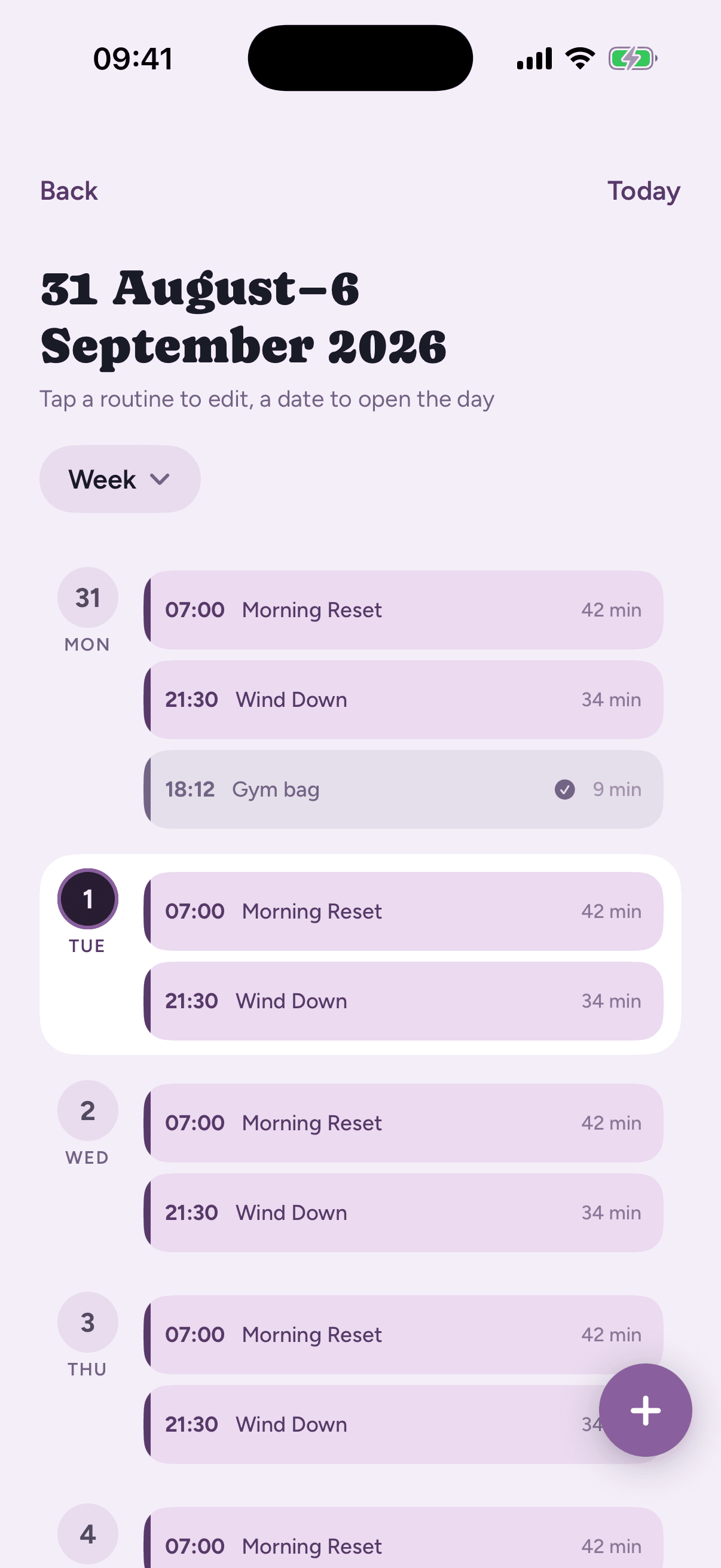
Agenda, day, week or month
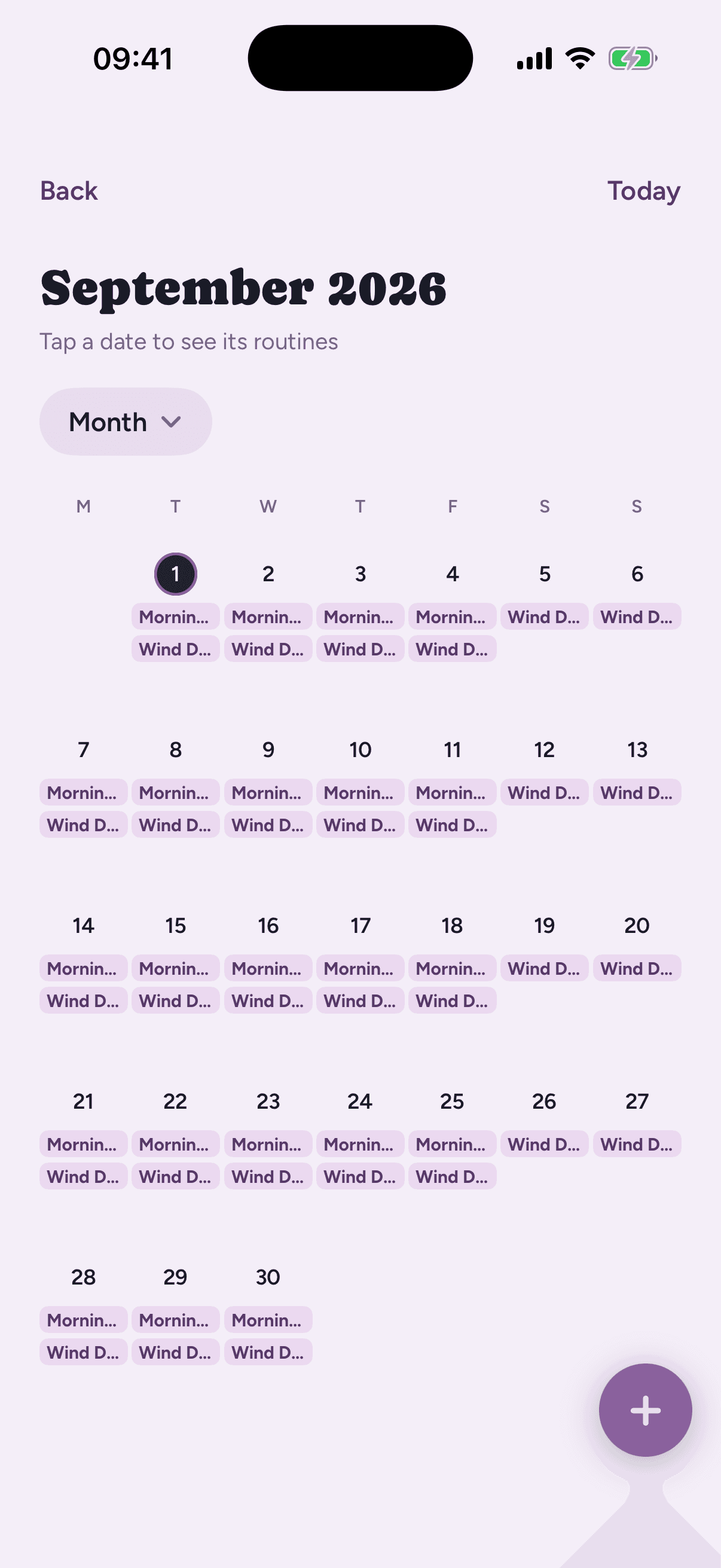
An agenda list for a quick scroll through what's next. A day view laid out against the clock. A week view for the whole run of days at once. A month view for the bigger picture. Tap any routine to open it and change something.
The full calendar is a Loopily Plus feature.
Add an event at an exact day and time
Hold a spot on the grid, or tap the add button, and Loopily opens a sheet with the day and time already set to where you tapped. Both stay as real pickers, so you can move either one before you place it. Placing it moves the calendar so you can see exactly where it landed.
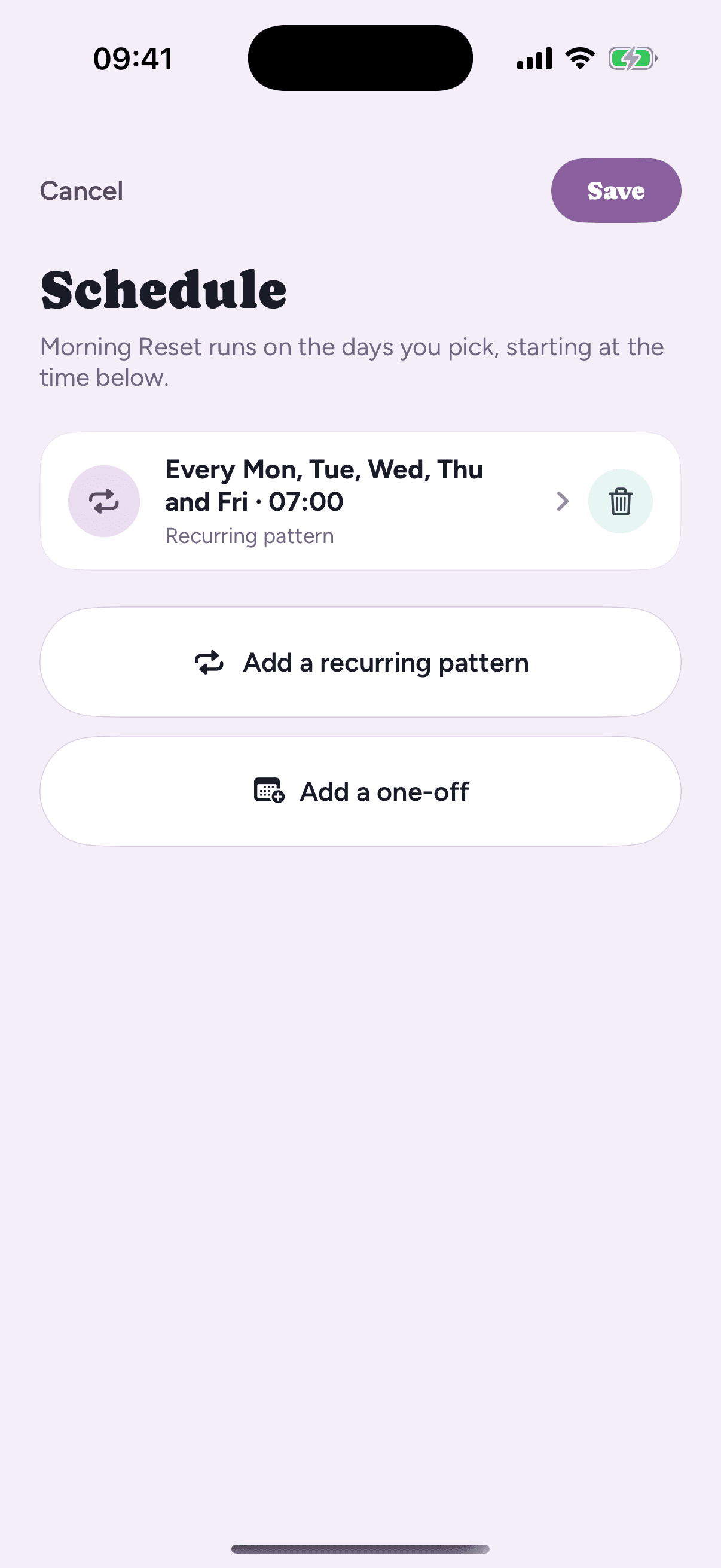
Recurring patterns, one-offs, and changes to a single day
Give a routine a recurring pattern, specific weekdays, a monthly date, or an interval, or add a one-off for a single date. Schedule edits are drafts. Nothing changes until you tap Save, and Cancel discards them cleanly.
Move one occurrence without touching the rest: Loopily asks whether a change applies to “just this day” or “every day”, and you can skip a single date without breaking the pattern.
Once a routine's schedule fires, Loopily can nudge you with a notification and hand the countdown to a Live Activity the second you start it.
See the live timer →