
Alarms & reminders
A nudge before, and a real alarm on the dot
Knowing a routine starts at seven isn't the same as noticing it's seven. Loopily can tell you five minutes before, and ring like an alarm clock when it's time.
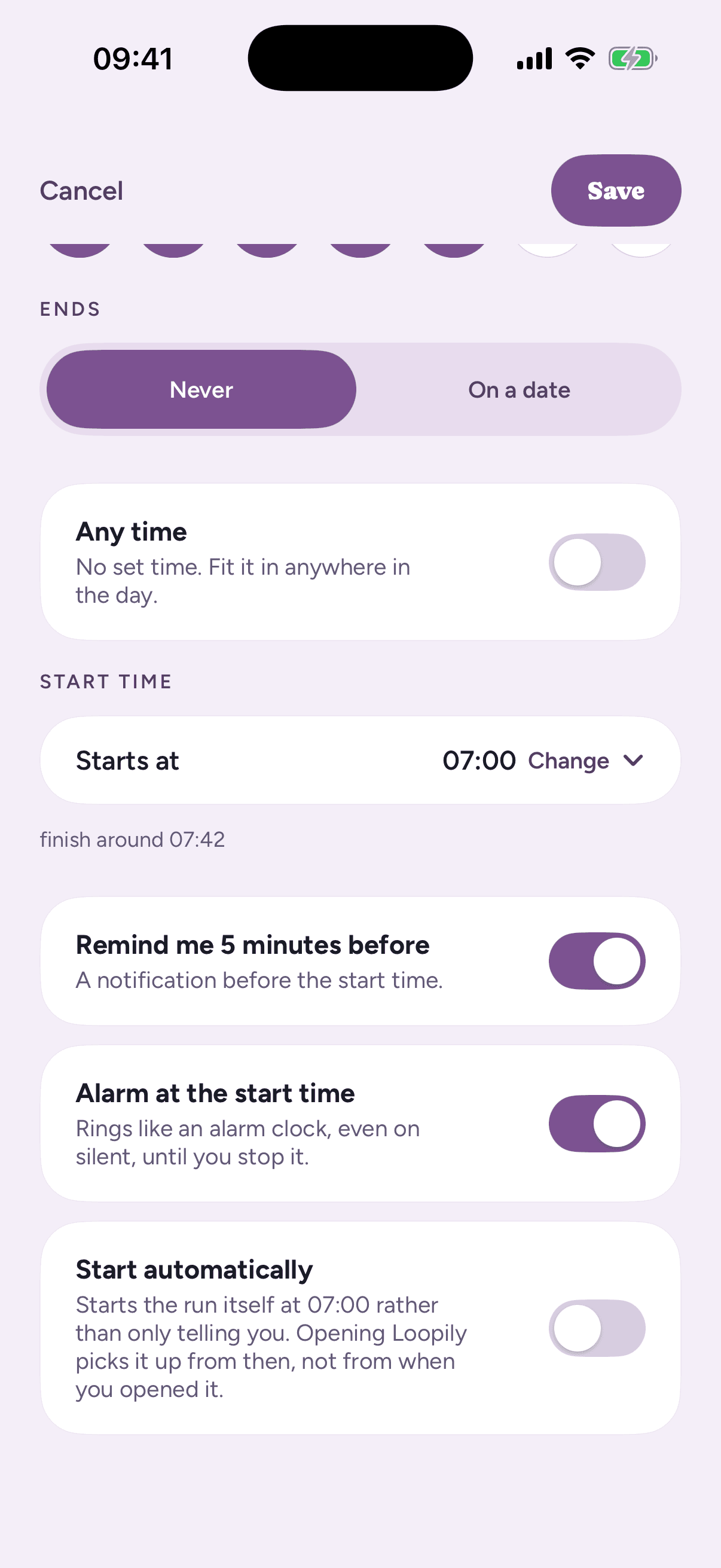
Two switches beside the start time
Give a routine its days and a start time, and switch on “Remind me 5 minutes before” for a notification while there's still time to wrap up what you're doing.
Switch on “Alarm at the start time” and a real alarm rings when it's due, even with the phone on silent or in a Focus, until you tap “Stop”. Tap “Start” instead and the routine begins there and then, so the alarm that gets you up is also the thing that gets you going.
The same two switches are on events and on a quick list with a day. Alarms need iOS 26 or later.
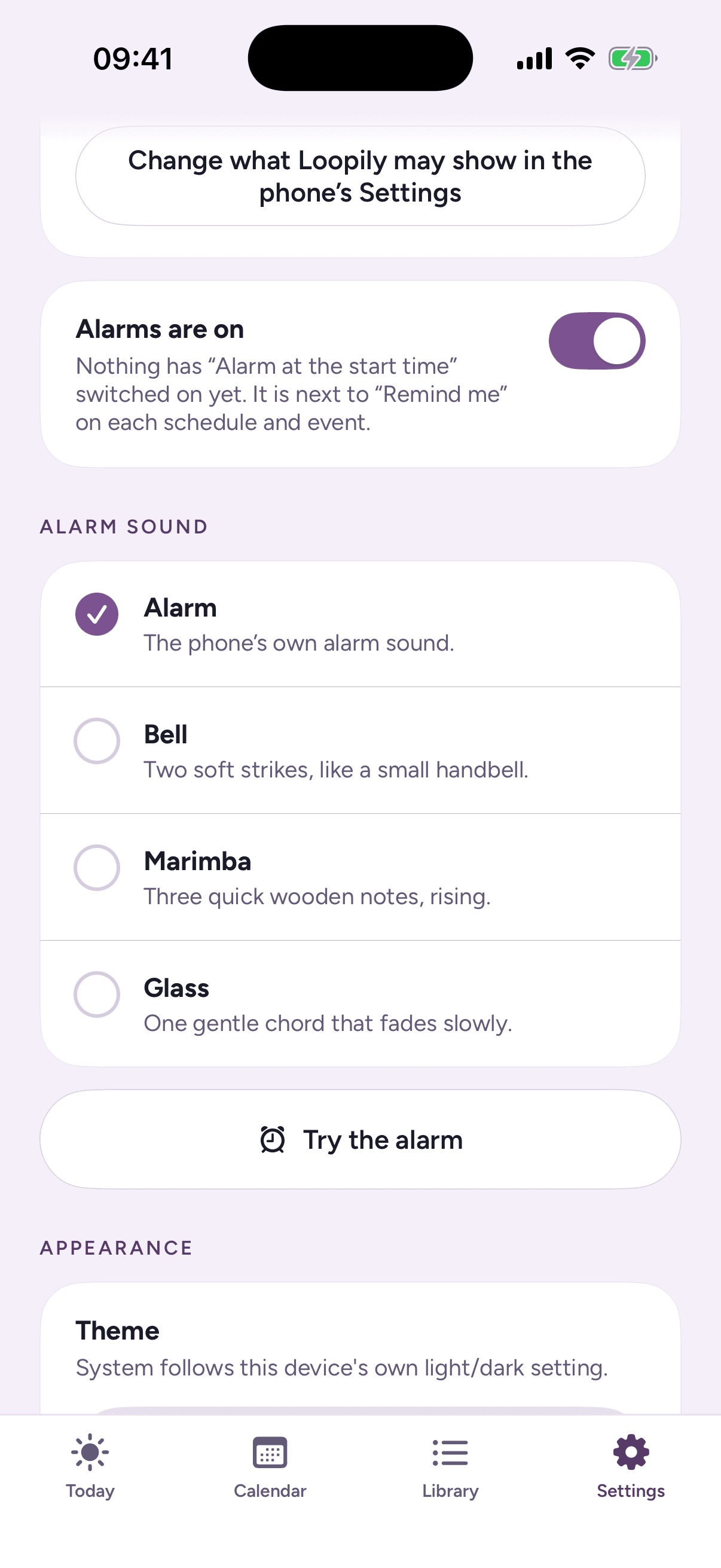
Hear it before you rely on it
In Settings, pick what every alarm rings with under “Alarm sound”: the phone's own alarm, or one of Loopily's softer chimes. Then tap “Try the alarm” and a real one rings five seconds later, exactly the way a routine's will. Lock the phone first to hear it as you will tomorrow morning.
“Alarms are on” turns every alarm off at once, for a holiday or a lie-in, without touching a single routine.
Nothing rings for a day you've already done
Ran your morning early, or started it before the alarm? That day's reminder and alarm stand down, so you're not told to start something you've already finished. The next day's are still set.
Reminders and alarms are free on every plan.
See what happens once it's running →