
Quick lists & events
For everything that isn't a routine
Packing for a trip, a kitchen blitz before guests arrive, a dentist at three. Not every day is made of routines, and the rest of it still needs somewhere to live.
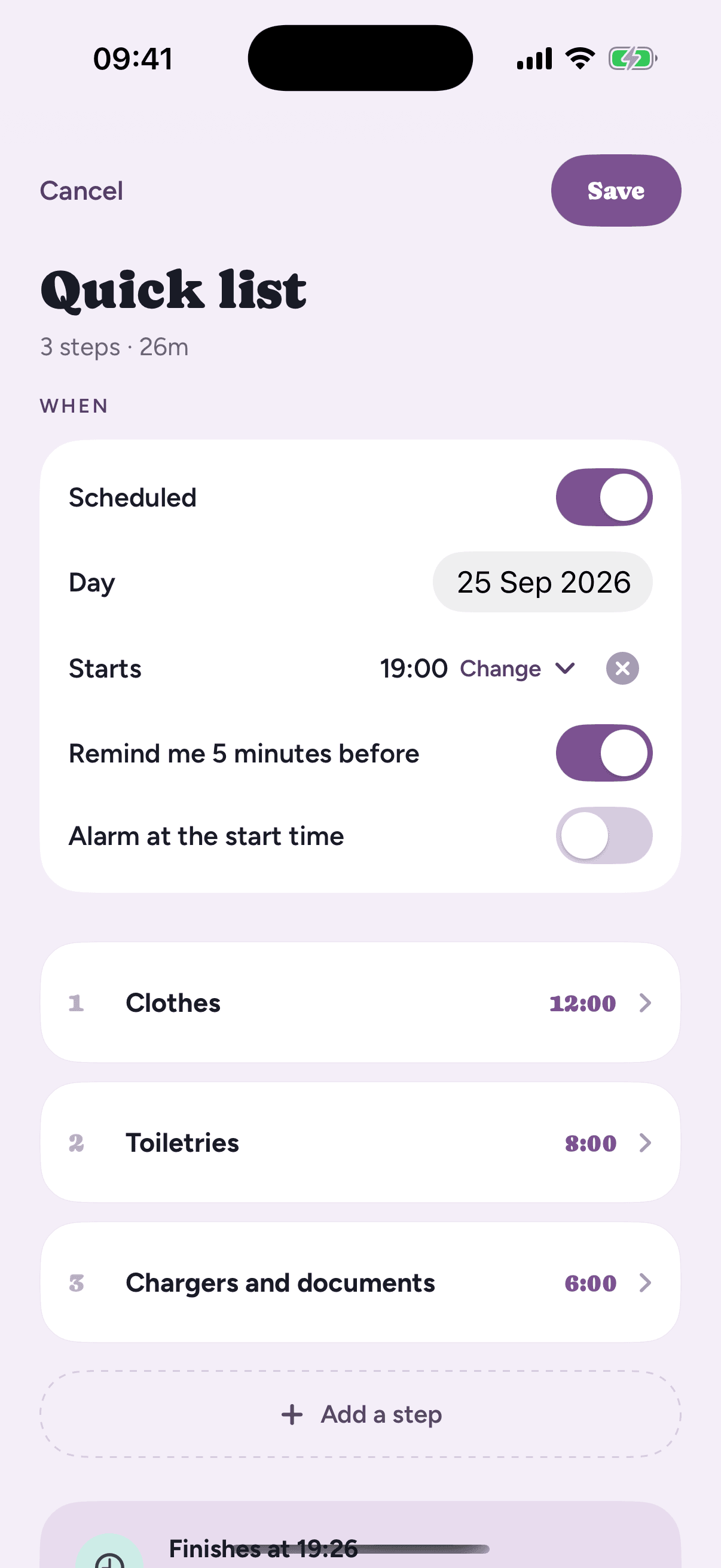
A quick list: a few steps and a clock
Tap the + in the bottom right of Home and choose “Quick list”. Type a few steps, give each one a length, and tap “Start now”. No name to think of, no schedule to set up.
Not now? Switch on “Scheduled” and give it a day, either “Any time” or a start time, with the same reminder and alarm a routine has. It waits on that day until you run it.
Only the run is kept. The list itself is gone once it has run, so your library stays yours. If it turns out to be something you'll do again, “Save as a routine” on the summary keeps its steps.
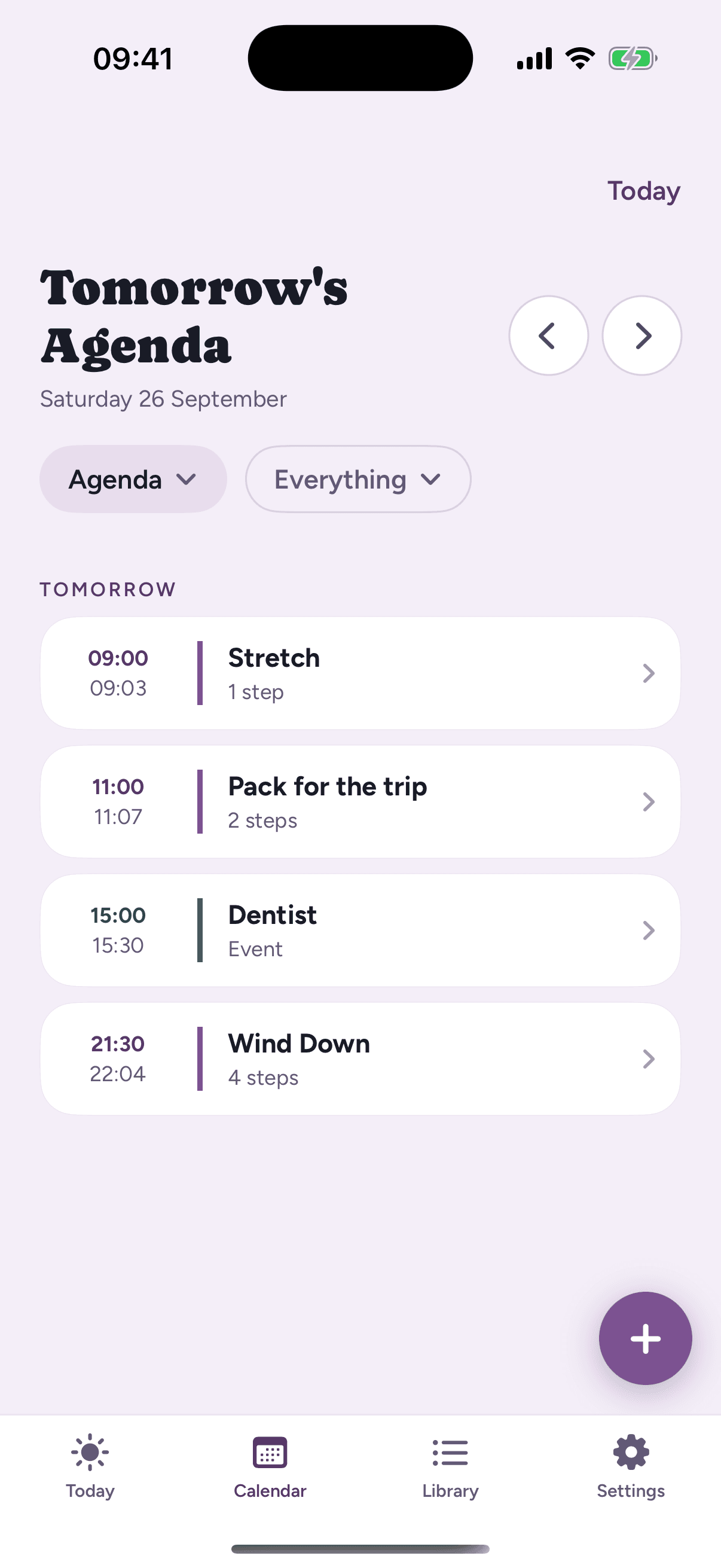
Events: appointments on the same page
An event is a block of time with nothing to run: the dentist, a call, the school pick-up. Tap + and choose “New event”, give it a name, a start and an end, and it sits on the calendar in teal between your routines, so you can see whether the morning still fits.
The next one gets the card at the top of Home. Events can repeat, last all day or several days, and carry a place, a link or notes. Each one reminds you five minutes before, and can ring an alarm when it starts.
Quick lists and events are part of Loopily Plus, alongside the full calendar and unlimited routines.
See Free vs Plus →